

Is there are way to automate that the attendance hours for the employees for one entity are filled in automatically per working day from 09:00-17:00?

Answered
Automatically filled in attendances
- Getting Started
Best answer by Steve
Hi
The best solution to your query would be to import the attendance periods in bulk as an alternative to having your employees manually record their attendance through Employee profile > Attendance.
Please see all the steps on how to import the attendance periods for different employees into Personio all at once in this Help Center article:
Alternatively, you may be able to use an integration that would do this automatically for you. Please check out our Marketplace for details of existing integrations:
Please also note that you can quite easily copy daily time entries to the rest of the month by going to the Attendance tab, adding hours worked for one day, clicking the three dots (...) and Copy time entry. Select the Working days from my schedule option and Copy to apply them to the entire month.
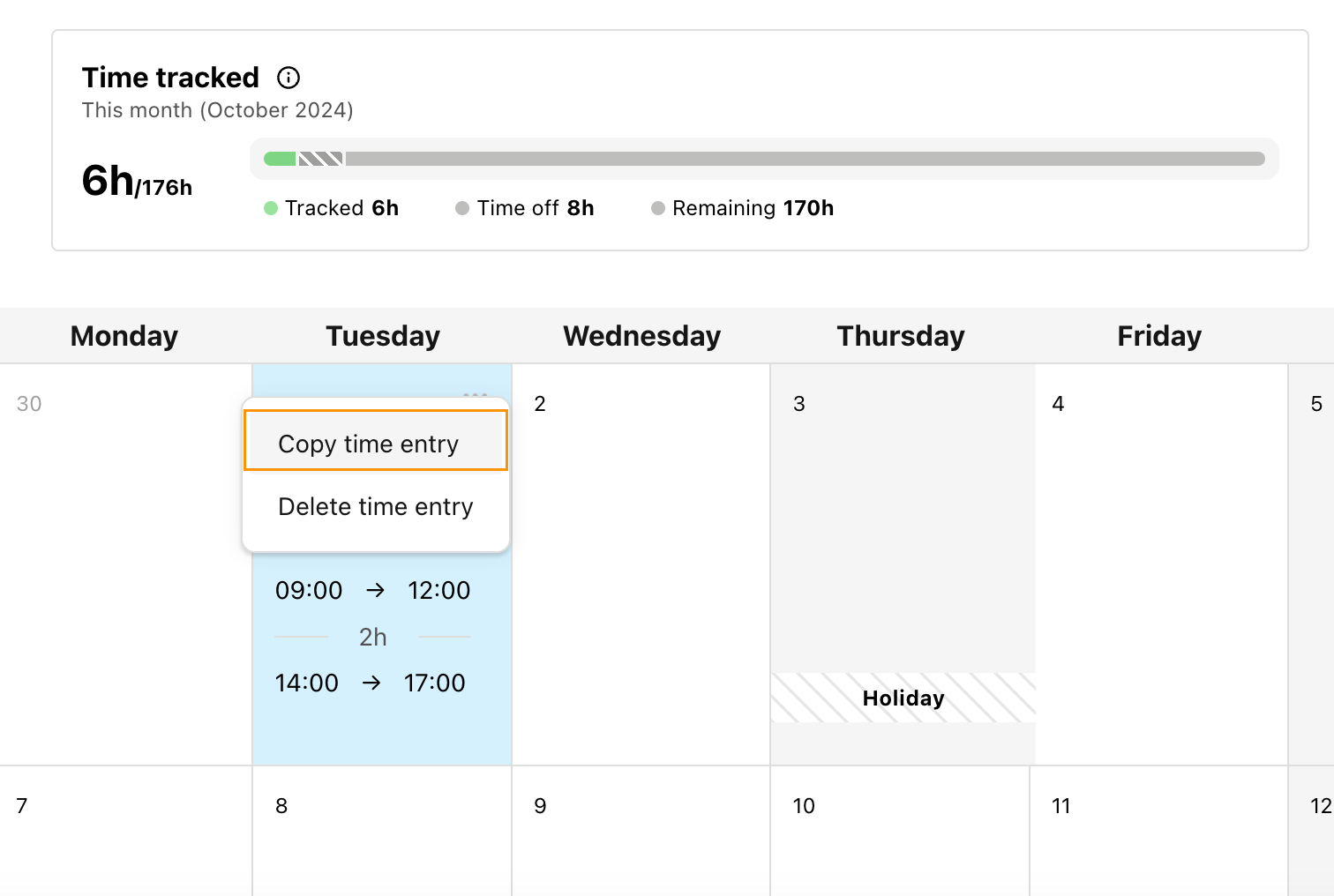
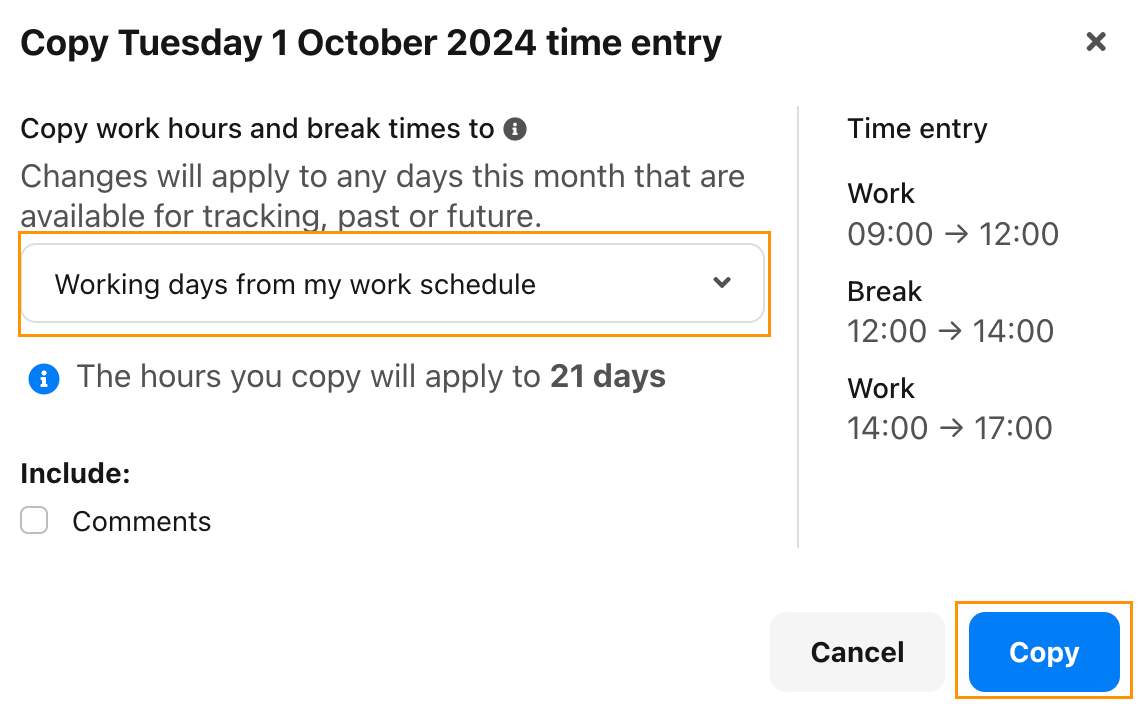
I hope you find this information useful. 😀
Best,
Steve




Join the Personio Voyager Community!
If you are a Personio customer please use the same email address for registration as in your Personio account. By doing so we can help you faster if we might need to check something in your account. Do you already have an account? > Login
! Your public username cannot contain any personal information such as email or other private information! You can't change your username after registration.
Welcome to the Personio Voyager Community!
This is our service and networking community for all Personio users and HR Professionals. If you have not registered yet, please select "create an account"
Enter your E-mail address. We'll send you an e-mail with instructions to reset your password.