
Unable to View Bulk Employee Profile Update Approval Requests

  • October 24, 2024
  • 4 replies
  • 62 views

Forum|alt.badge.img

Hi, dear Perosnio community!

I'm experiencing an issue with viewing approval requests for employee profile updates:

Employees are updating their information as requested via Reminders Workflow and these updates require admin approval. However, there is no centralized way to view all pending approval requests.We can only see pending approvals by checking each employee's profile individually (not at the homepage etc.)


What is the location of the central dashboard/view for all pending profile update approvals? How to access all pending profile update approvals?


Thank you!

4 replies

People Person
Communicator
Forum|alt.badge.img+10
  • Communicator
  • October 24, 2024

Hello, 


I hope you are having a good day!


Approvals are located on the homepage. If you click on your inbox and filter by ‘employee data’, you’ll see something like this: 


If you click on that notification, you will see a list of employees and be able to view and approve their changes. 


You can also approve all changes for each employee by clicking the ‘approval all’ button next to their name. 


I hope this helps!


Forum|alt.badge.img
  • Author
  • Getting Started
  • October 24, 2024

Hello,

thank you very much for your prompt answer!

The issue is that we don’t have them on the homepage at all, do you know what can be the reason in this case? :(


People Person
Communicator
Forum|alt.badge.img+10
  • Communicator
  • October 24, 2024

Hello, 


In that case, you likely aren’t set up as the approver. By default it is superusers but you can change this in your settings, go to settings > approvals and select ‘employee data’ and then select the person/ role that you want to be an approver. 


If the superuser is not the role that is selected, they’ll no longer be able to approve the requests so you may need to assign the superuser that role if you want superusers plus others to be able to approve employee data. 


I hope that helps :) 


Steve
Personio Employee
Forum|alt.badge.img+5
  • Former Community Moderator
  • October 25, 2024

Hi @Olga Lysiak,

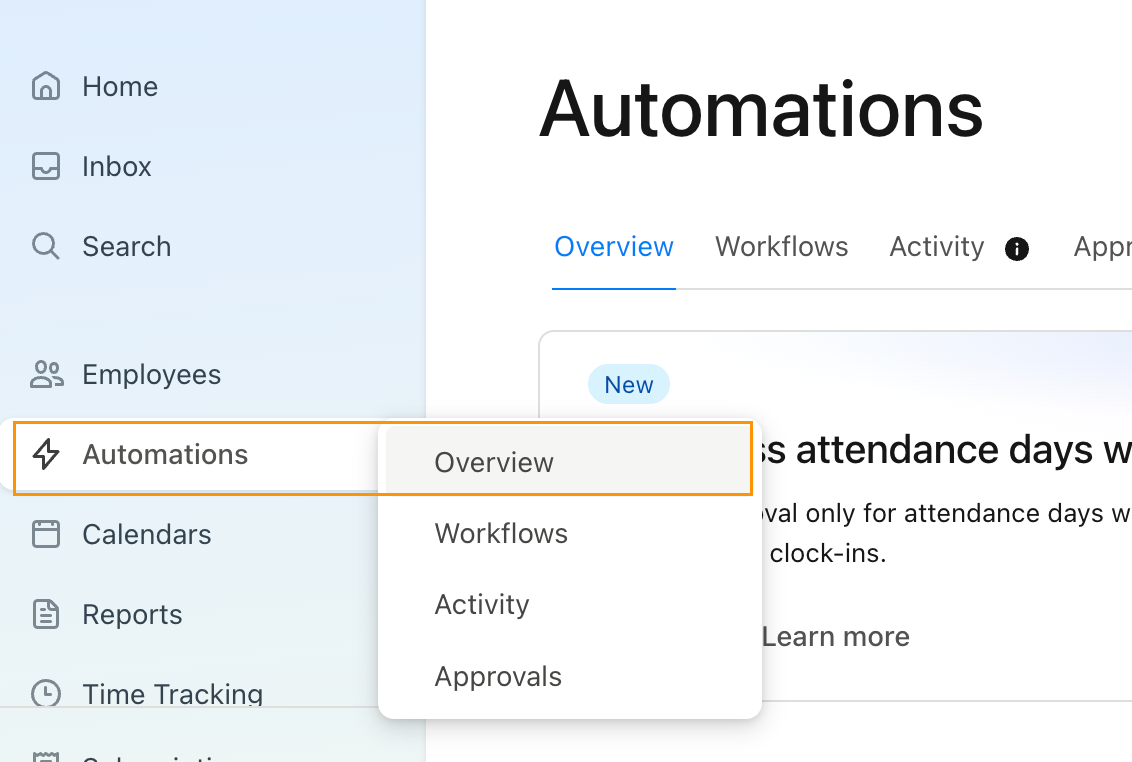
Thanks a lot @People Person, just to add that you can also get an overview of all pending approvals by going to Automations > Overview


The Approvals tab allows you to define who is responsible for each type of approval process. As mentioned, approvers must have Access rights to the data they must approve.

You can find further information on approvals in this Help Center article:

Please let me know if you have any further questions. 😀

Best,

Steve