Answered

Error scheduling interviews after changing my email address in Personio

  • September 25, 2024
  • 2 replies
  • 21 views

Forum|alt.badge.img

I changed my email address from ************** to ************* , and I can’t seem to schedule interviews anymore, although my Google Calendar shows as successfully integrated in Personio (which means I also can’t try to “refresh” or reintegrate it). What should I do?


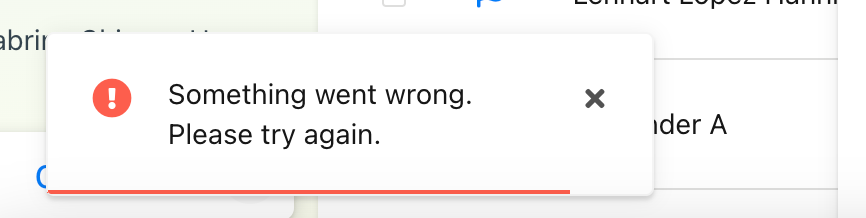
Please see below the error when I tried to schedule an interview.


Best answer by Weena

Hi @sabrinahara, 😊


Your query requires to check specific data on your account. I would suggest creating a support request. Through a support ticket, we will be able to log in into your account, check the settings together with you, and also verify if the topic might involve a system error.

You can contact the support team via Help & Feedback.

Help & Feedback > Browse for help > Contact us

Be aware that only Account owners can contact our support team. In case you are not registered as such, please contact your colleagues in the role, or add this information in your account. You can find out how here.

Please note that I have removed your email addresses from your initial post as this is a public space.

I wish you a lovely afternoon. 🙌

Best,

Weena

2 replies

Forum|alt.badge.img
  • Author
  • Getting Started
  • September 25, 2024

Something I forgot to mention: the error might also not be on my Google Calendar integration, as when I try to schedule an interview for someone else on Personio, I also receive the same error, so perhaps is something with my account?


Weena
Personio Employee
Forum|alt.badge.img+3
  • Former Community Moderator
  • Answer
  • September 26, 2024

Hi @sabrinahara, 😊


Your query requires to check specific data on your account. I would suggest creating a support request. Through a support ticket, we will be able to log in into your account, check the settings together with you, and also verify if the topic might involve a system error.

You can contact the support team via Help & Feedback.

Help & Feedback > Browse for help > Contact us

Be aware that only Account owners can contact our support team. In case you are not registered as such, please contact your colleagues in the role, or add this information in your account. You can find out how here.

Please note that I have removed your email addresses from your initial post as this is a public space.

I wish you a lovely afternoon. 🙌

Best,

Weena