Hi @Dorota,
Thank you for your follow-up question!
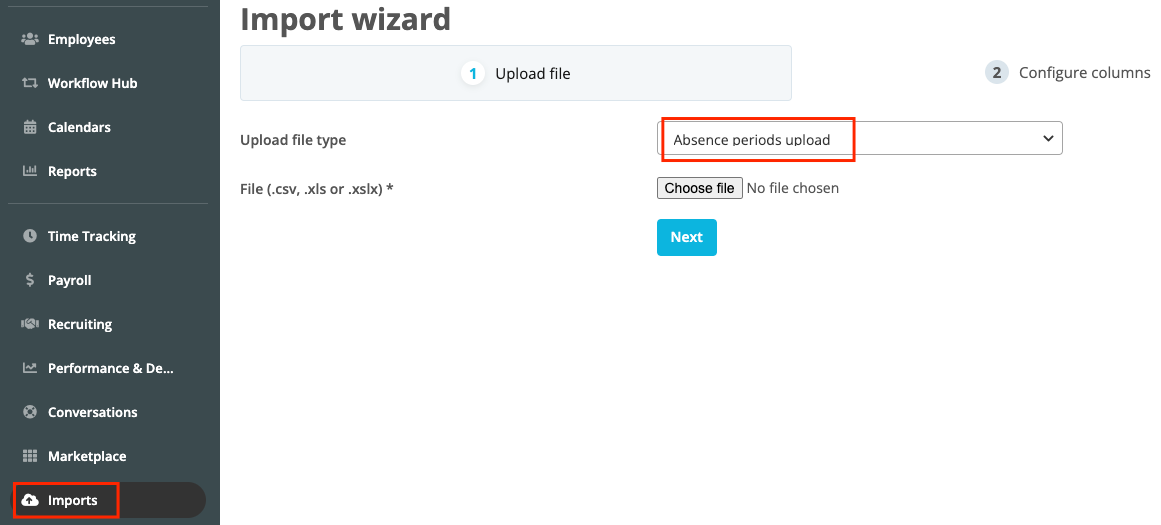
You can find a manual to import the absence period in the help center I had sent you. Here the link to the exact part where you find the steps:
As you mentioned, you must write the dates that you wish to appear as holidays in your employee profiles (Start and End date). Further, you need to add your employees’ emails for Personio to assign the absence period in their profiles as well as the absence type you would like the absence period to appear for.
Please be aware that these absence days will be reduced from your employees’ entitlement. If you choose the absence type Vacation, for example, the number of days you upload will be reduced from this entitlement.
If you don’t wish the entitlement to be reduced, please let me know to share further steps with you.
Let me know if i can support you with any other inquiry regarding this topic.
Best,
Andrea