


Hi,
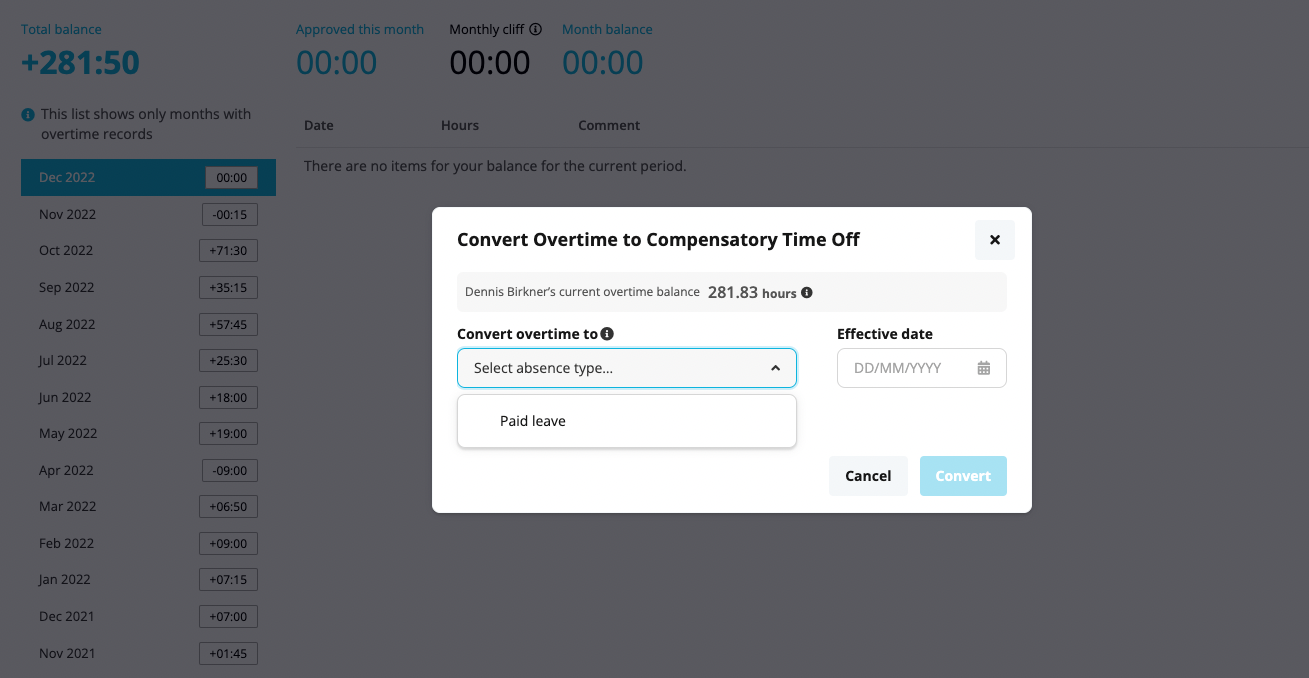
is there an option to transform overtime not only into paid leave, but also to compensation days?

Hi,
is there an option to transform overtime not only into paid leave, but also to compensation days?
Best answer by Lena
Hi
yes, there is! :)
There are 2 ways to manage overtime compensation with compensatory time off.
Does this help you?
Best,
Lena
If you are a Personio customer please use the same email address for registration as in your Personio account. By doing so we can help you faster if we might need to check something in your account. Do you already have an account? > Login
! Your public username cannot contain any personal information such as email or other private information! You can't change your username after registration.
🎉 We've merged! The Personio Voyager Community now lives at community.personio.de.
This site (community.personio.com) is now read-only and will close soon, so you will no longer be able to log in here.
Coming from .com? Your account has already moved to community.personio.de. Log in there, and if it's your first time, set a new password first (your old .com password didn't carry over). See what to do →
Enter your E-mail address. We'll send you an e-mail with instructions to reset your password.