
Answered

I can't add a start date when setting up a review cycle

  • January 23, 2024
  • 2 replies
  • 49 views

Hi there, 


When I set up a review cycle following the steps in this video https://learn.personio.com/masterclass-manage-performance-and-development-en/70491,

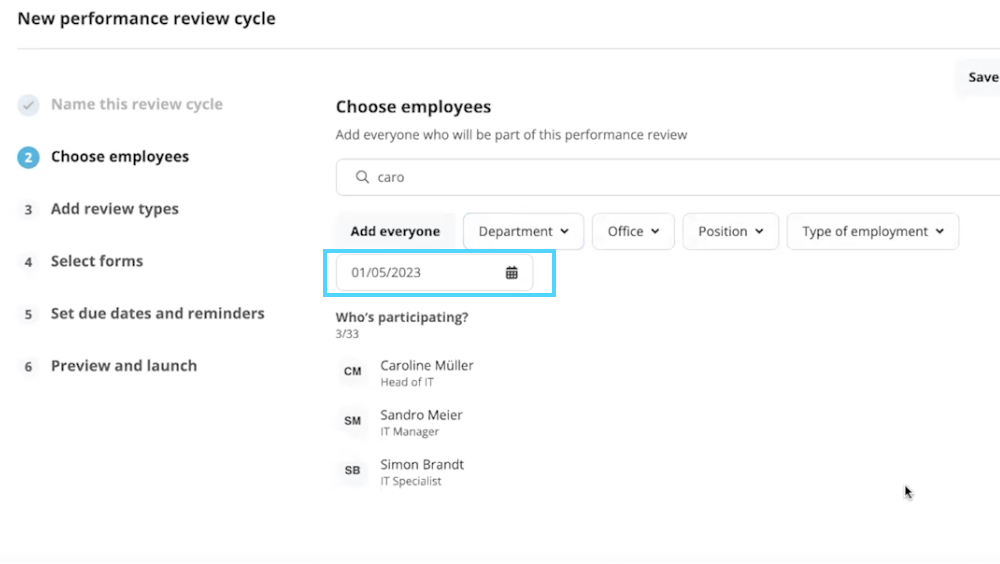
In step 2 I can’t seem to choose a start date. Only the participants. 

Wondering if we need to be on a different plan to make this possible?

Anyone else with this problem?
Best answer by International Support Team

Hi @Sara Gerard,

Unfortunately we don’t have this feature anymore for Start date. Once the Cycle is Launched the Cycle will be available.

​​​​​​


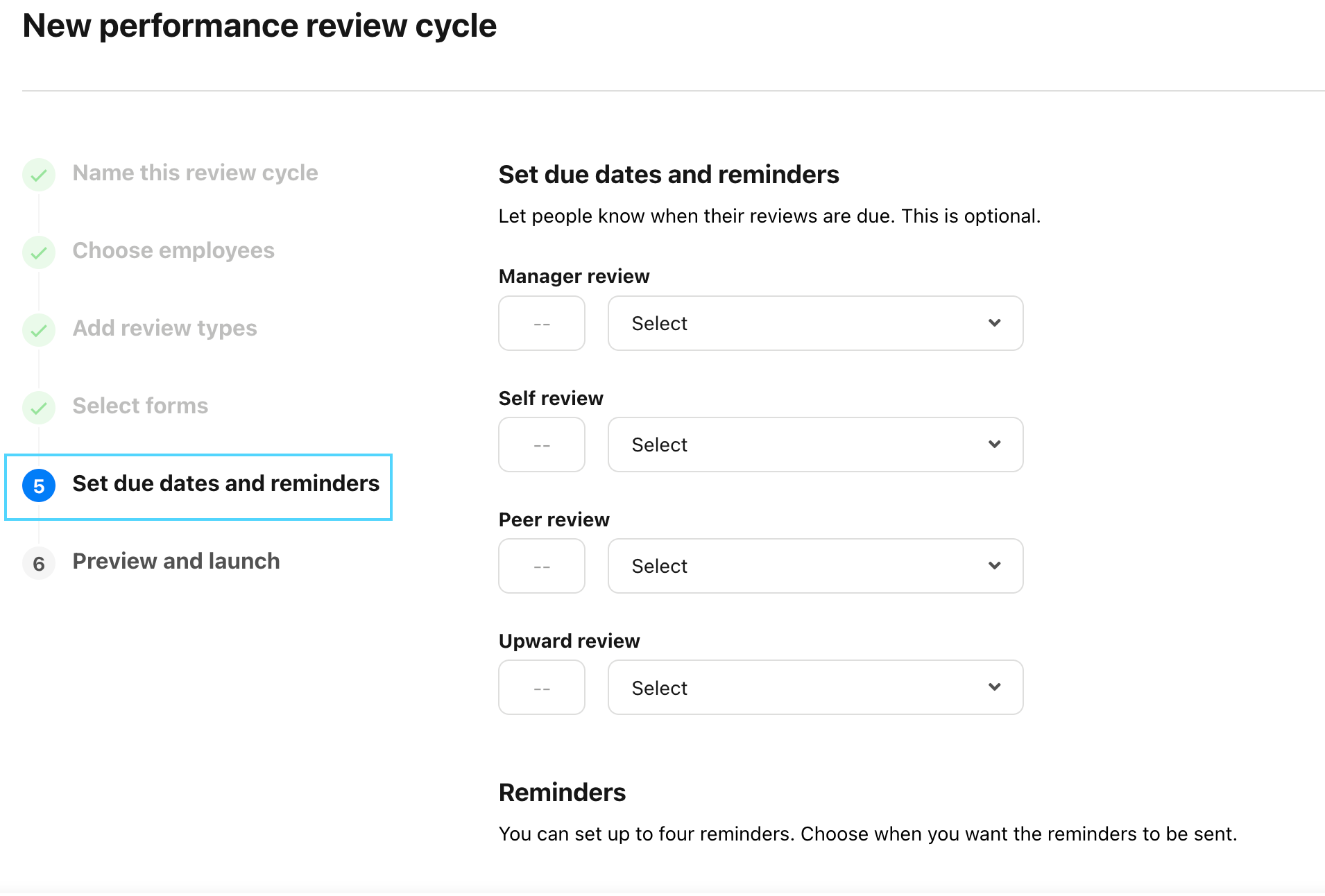
You do have the option to select a Due date and Reminder date in Step 5:
​​​​​​

Here you will find more information regarding: Performance review cycles in Personio. 

Best,

Sofia 

2 replies

Hi @Sara Gerard,

Unfortunately we don’t have this feature anymore for Start date. Once the Cycle is Launched the Cycle will be available.

​​​​​​


You do have the option to select a Due date and Reminder date in Step 5:
​​​​​​

Here you will find more information regarding: Performance review cycles in Personio. 

Best,

Sofia 


  • Author
  • Follower
  • January 29, 2024

Thank you for your response!

That’s a shame, though! it would be really useful to set up all EOP reviews as part of onboarding, but we will create a trigger later on to set it up. 

Thanks

Sara