



Hi there,
we have two additional half days off at Spectrm (½ day on the 24th of December and ½ a day on the 31st of December). How can I add that to the general calendar in such way that it applies to ALL of our offices?
Cheers,
Amei

Hi there,
we have two additional half days off at Spectrm (½ day on the 24th of December and ½ a day on the 31st of December). How can I add that to the general calendar in such way that it applies to ALL of our offices?
Cheers,
Amei
Best answer by International Support Team
Hi
You have the possibility to create a new Public holiday calendar by going to Settings > Public holidays > there you can duplicate an existing Calendar and make there the relevant changes.
For a half day you have this option:
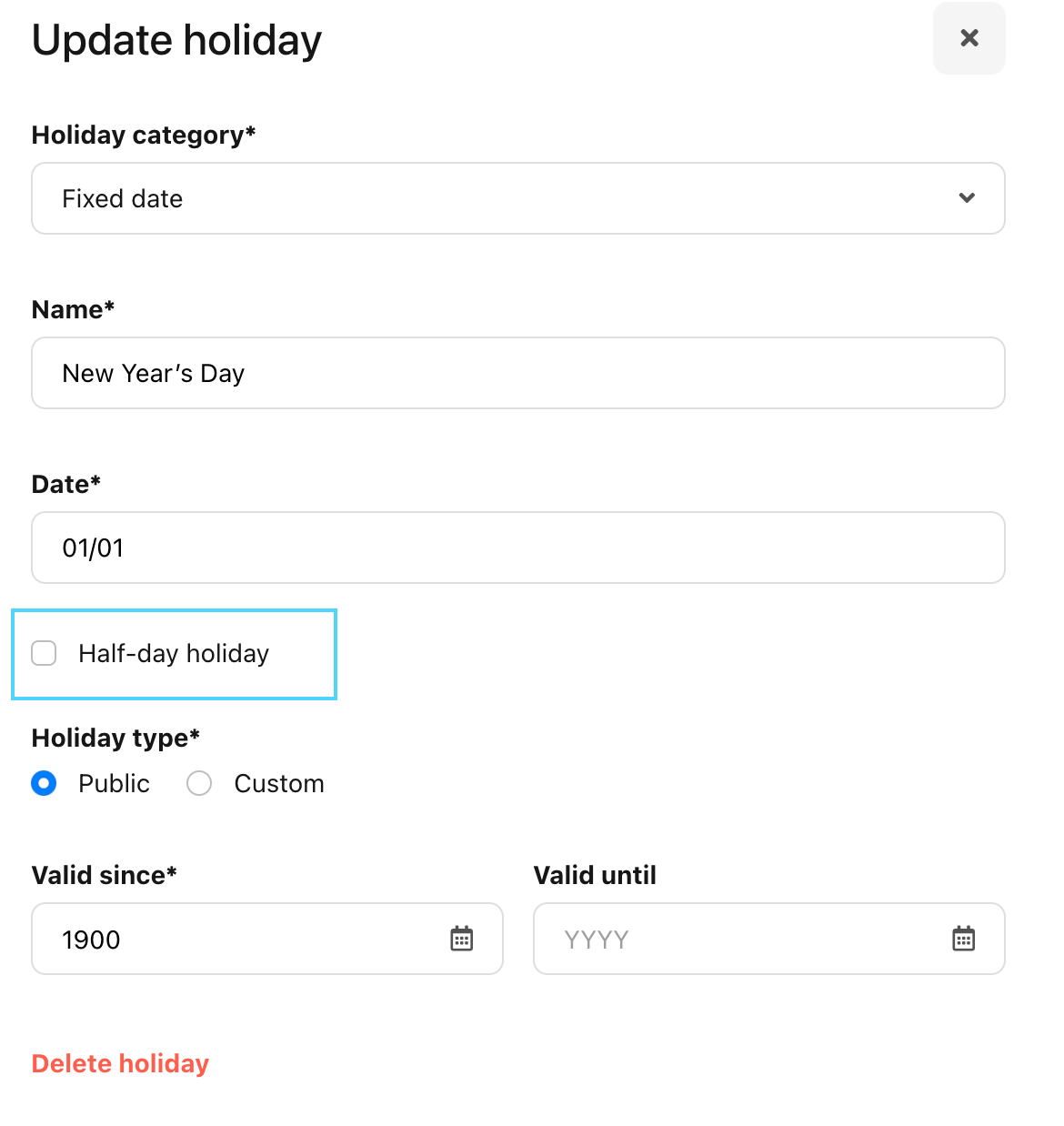
Step 1: Make a new Public holiday Calendar in Settings > Public holidays.
Step 2: Assign this new Public holiday Calendar to the relevant Office.
You can do this by going to Settings > Offices:
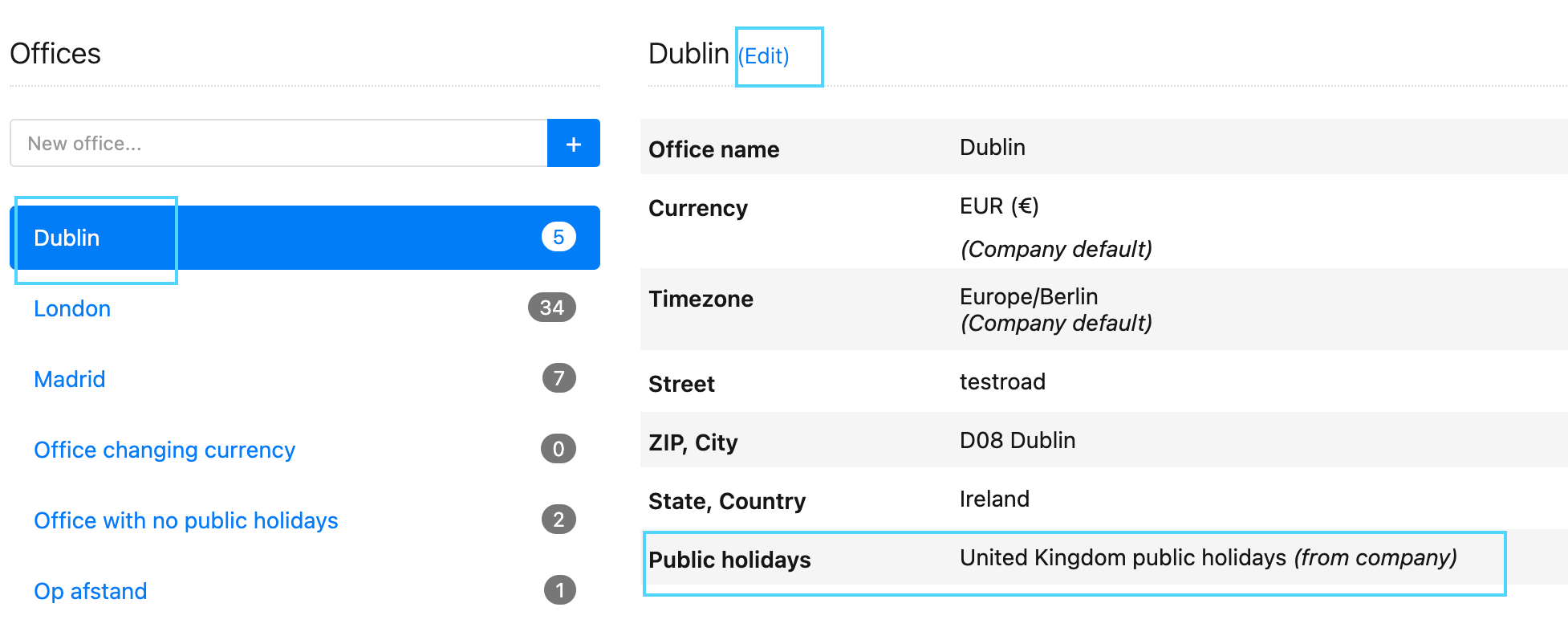
Please be aware: Assigning a different public holiday calendar afterward will affect previous attendances and absences. Attendances and absences will be recalculated based on the new calendar.
Here you will find more information regarding: Create a public holiday calendar and assign it to your company.
Hope you have a lovely.
Best,
Sofia
If you are a Personio customer please use the same email address for registration as in your Personio account. By doing so we can help you faster if we might need to check something in your account. Do you already have an account? > Login
! Your public username cannot contain any personal information such as email or other private information! You can't change your username after registration.
🎉 We've merged! The Personio Voyager Community now lives at community.personio.de.
This site (community.personio.com) is now read-only and will close soon, so you will no longer be able to log in here.
Coming from .com? Your account has already moved to community.personio.de. Log in there, and if it's your first time, set a new password first (your old .com password didn't carry over). See what to do →
Enter your E-mail address. We'll send you an e-mail with instructions to reset your password.