We create absences via API and expect certain Absence Types to overlap.
To avoid the approval workflows we set the “skip_approval=true” flag when inserting a TimeOffPeriod.
However, we still receive lots of “Overlapping Absence” notifications.
How to disable the “Overlapping Absence” notifications globally?
Best answer by mruscito
Hi @Zejo !
I think these could be really useful features to have!
There are a few of these ideas already posted in our Ideation section, have you seen this one by @CandelaCiordia ? You can upvote it & comment on it if you’d like! Our Product Team regularly reviews this area of the Community to see how our users want us to improve our services 🚀
Do let me know if you have any other questions or concerns!
I believe that is it not possible to disable the overlapping absences notification. However, I am double-checking this with the relevant team. I will let you know here as soon as I have this clarified. 😊
I can confirm that the overlapping absences feature cannot be disabled. It’s an integral part of the Absences feature in Personio.
However, there are 2 types of overlapping periods messages that you can receive when booking an absence period. ⬇
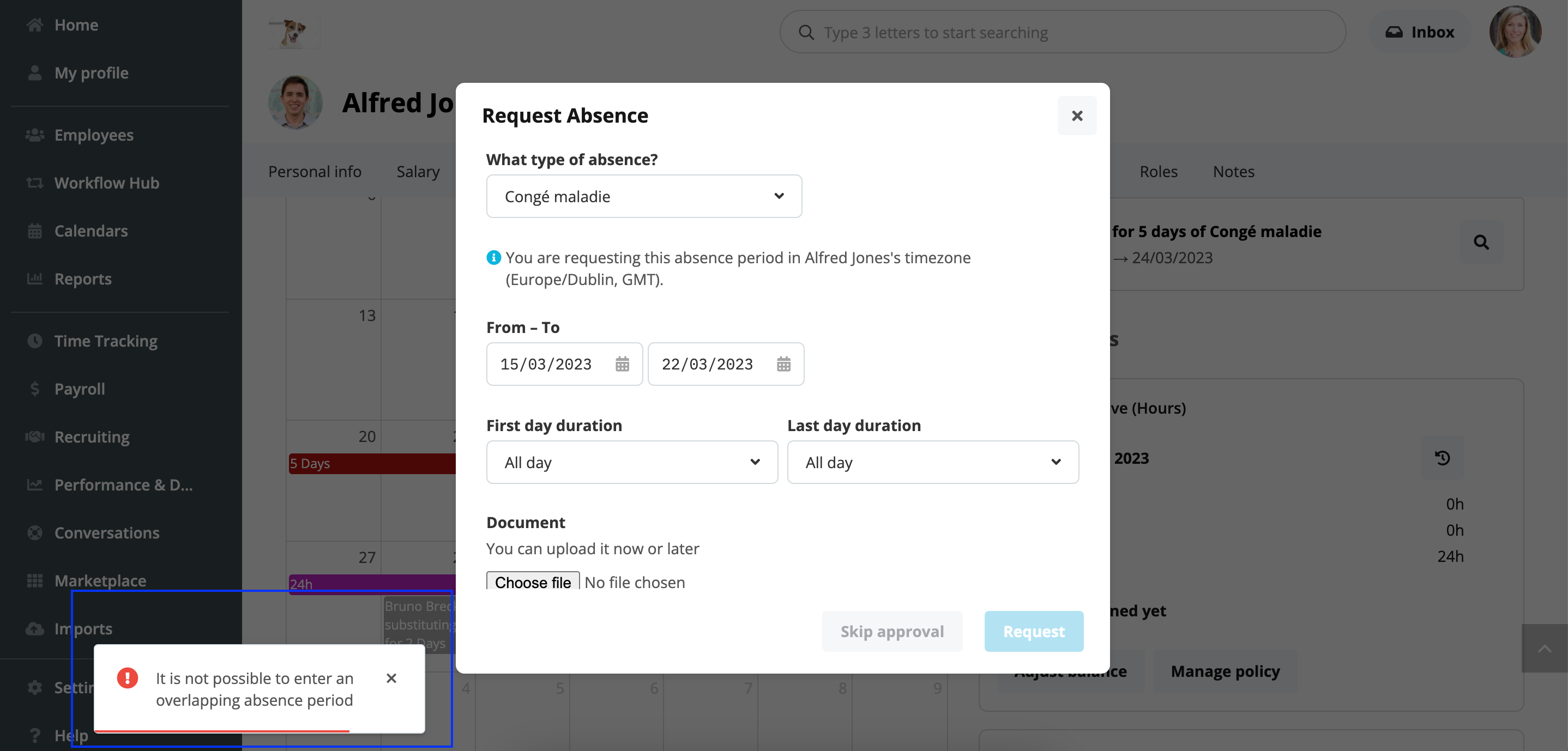
If the employee is trying to book 2 overlapping absence periods of the same absence type, then they will receive an error message. The system will not allow you to submit the second absence period/request.
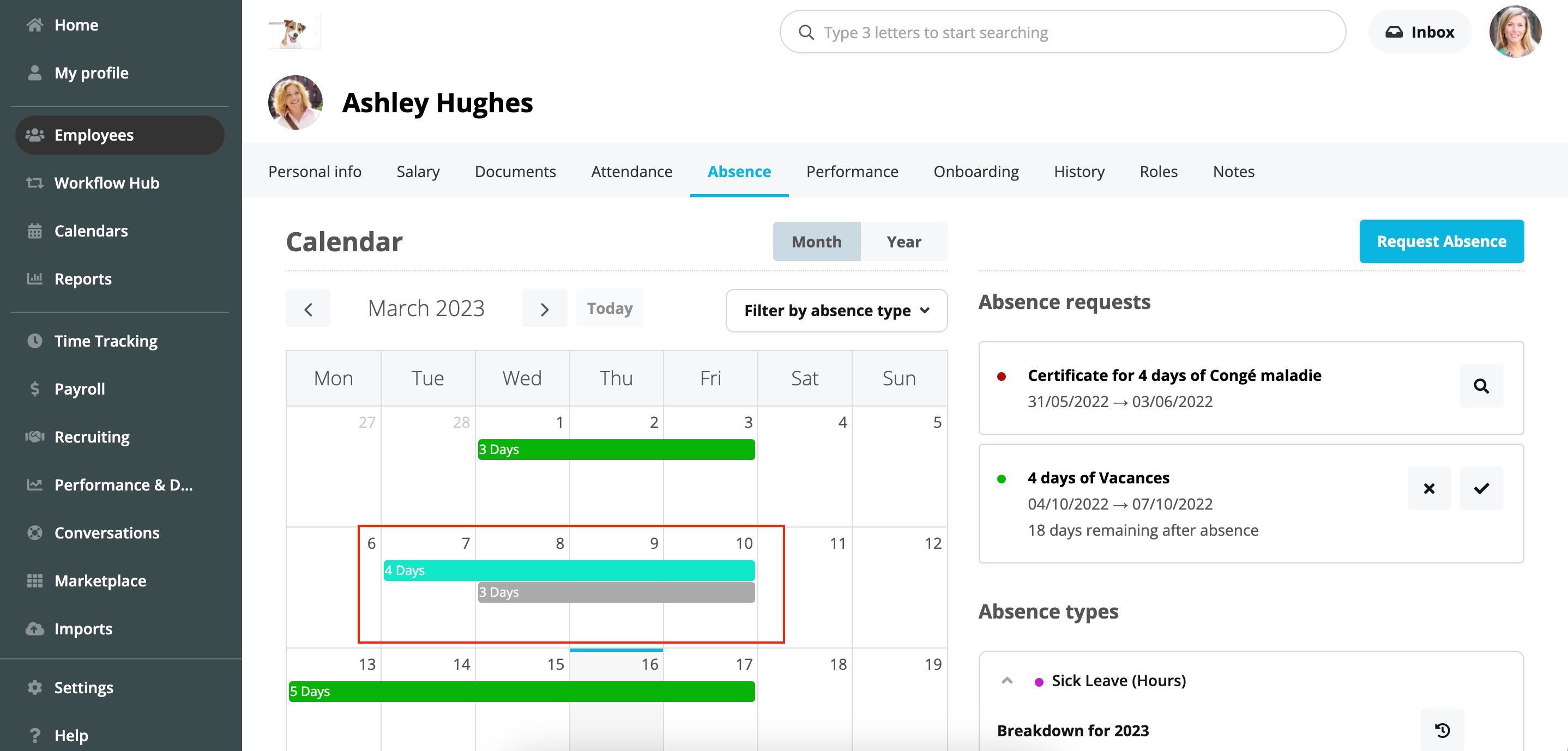
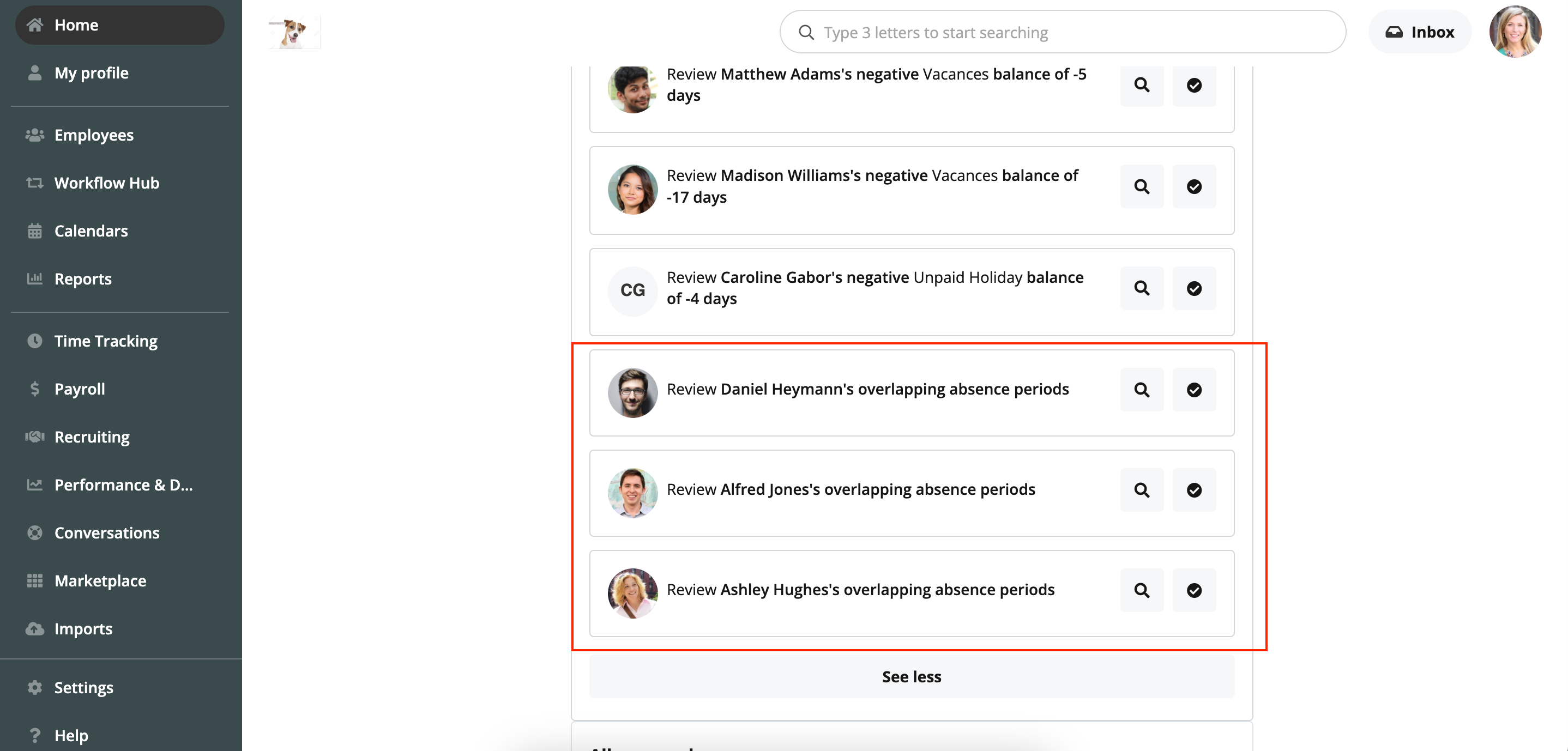
If the employee is booking 2 overlapping absence periods under different absence types, the system will accept both periods/requests. Then, Admin users and any relevant approver will receive a task in their Dashboard to review the overlap. However, this is not an error message; it’s more of a “double-check” measure.
I hope this answers your question! Do let me know if you have any other concerns. Megan
I think these could be really useful features to have!
There are a few of these ideas already posted in our Ideation section, have you seen this one by @CandelaCiordia ? You can upvote it & comment on it if you’d like! Our Product Team regularly reviews this area of the Community to see how our users want us to improve our services 🚀
Do let me know if you have any other questions or concerns!
Megan
⚠️Heads up! This thread could be outdated
This topic was created more than ago. Our product evolves fast – feel free to ask a new question to make sure you get the latest info.
Join the Personio Voyager Community!
If you are a Personio customer please use the same email address for registration as in your Personio account. By doing so we can help you faster if we might need to check something in your account.
Do you already have an account? > Login
! Your public username cannot contain any personal information such as email or other private information! You can't change your username after registration.