



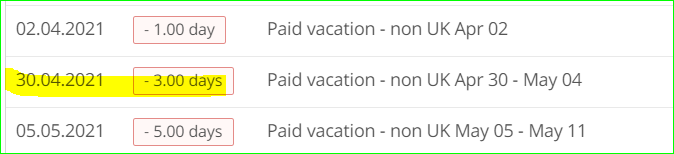
Hello, does anybody know how to delete those approved holidays as the person worked on those days. Thank you

 +1
+1Hello, does anybody know how to delete those approved holidays as the person worked on those days. Thank you
Best answer by Daniele
Hi
Thank You for reaching out! 
It is possible to edit and to delete an Absence, no matter if it takes place in the present, past or future. To do so, just go to the respective Employee Profile, then click on the Absence Tab.
On the calendar, just navigate to the relevant dates and click on the Absence you would like to modify. Then, you can either change the dates or delete that Absence entirely.
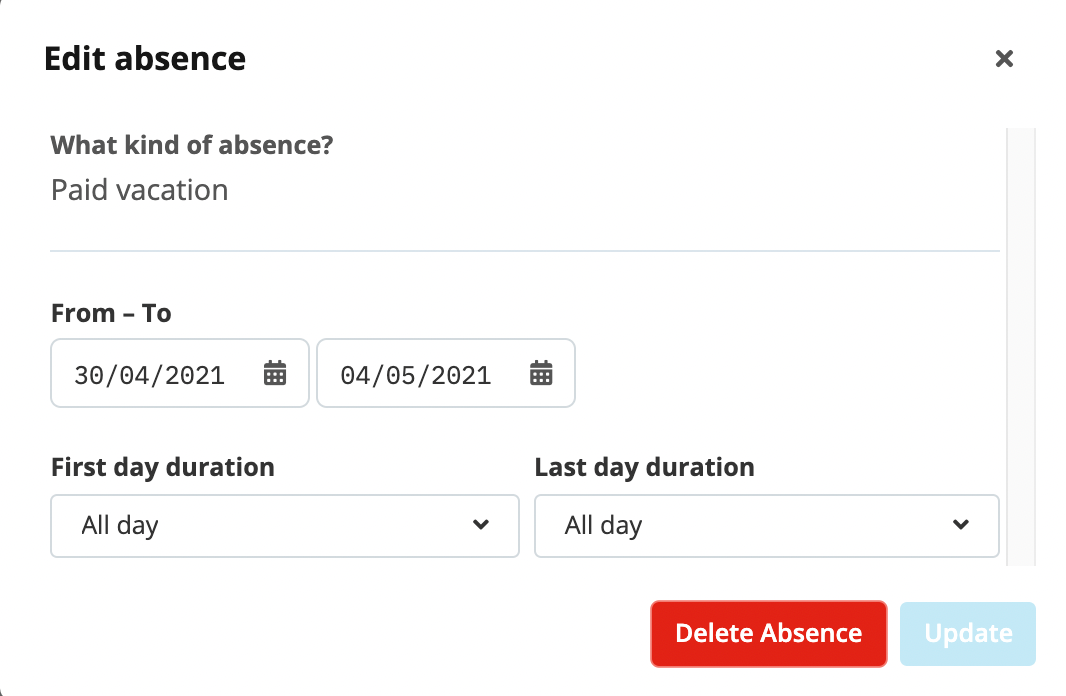
If the Employee has propose rights for this type of Absence, they can even do it themselves. In that case, requesting to delete an Absence would trigger the same Approval Process as requesting an Absence.
Let me know if this would solve your matter or if you have any further questions about this topic :)
Best,
Daniele
If you are a Personio customer please use the same email address for registration as in your Personio account. By doing so we can help you faster if we might need to check something in your account. Do you already have an account? > Login
! Your public username cannot contain any personal information such as email or other private information! You can't change your username after registration.
🎉 We've merged! The Personio Voyager Community now lives at community.personio.de.
This site (community.personio.com) is now read-only and will close soon, so you will no longer be able to log in here.
Coming from .com? Your account has already moved to community.personio.de. Log in there, and if it's your first time, set a new password first (your old .com password didn't carry over). See what to do →
Enter your E-mail address. We'll send you an e-mail with instructions to reset your password.